<!DOCTYPE html>
<html class="wide wow-animation" lang="en">
<head>
<!-- Site Title-->
<title>Vector Art</title>
<meta name="format-detection" content="telephone=no">
<meta name="viewport" content="width=device-width, height=device-height, initial-scale=1.0, maximum-scale=1.0, user-scalable=0">
<meta http-equiv="X-UA-Compatible" content="IE=edge">
<meta charset="utf-8">
<link rel="icon" href="images/favicon.ico" type="image/x-icon">
<!-- Stylesheets-->
<link rel="stylesheet" href="css/bootstrap.css?2">
<link rel="stylesheet" href="css/style.css?2">
<link rel="stylesheet" href="css/fonts.css?2">
<link rel="stylesheet" href="css/new-website.css?2"><!--[if lt IE 10]>
    <div style="background: #212121; padding: 10px 0; box-shadow: 3px 3px 5px 0 rgba(0,0,0,.3); clear: both; text-align:center; position: relative; z-index:1;"><a href="http://windows.microsoft.com/en-US/internet-explorer/"><img src="images/ie8-panel/warning_bar_0000_us.jpg" border="0" height="42" width="820" alt="You are using an outdated browser. For a faster, safer browsing experience, upgrade for free today."></a></div>
    <script src="js/html5shiv.min.js"></script>
		<![endif]-->
<!-- Google Analytics tag (gtag.js) -->
<script async src="https://www.googletagmanager.com/gtag/js?id=UA-179234715-2"></script>
<script>
  window.dataLayer = window.dataLayer || [];
  function gtag(){dataLayer.push(arguments);}
  gtag('js', new Date());

  gtag('config', 'UA-179234715-2');
</script>

<!-- Google Analytics GA4 tag (gtag.js) -->
<script async src="https://www.googletagmanager.com/gtag/js?id=G-ST2YZDJ8H6"></script>
<script>
  window.dataLayer = window.dataLayer || [];
  function gtag(){dataLayer.push(arguments);}
  gtag('js', new Date());

  gtag('config', 'G-ST2YZDJ8H6');
</script>


<!-- Microsoft Clarity -->
<script type="text/javascript">
    (function(c,l,a,r,i,t,y){
        c[a]=c[a]||function(){(c[a].q=c[a].q||[]).push(arguments)};
        t=l.createElement(r);t.async=1;t.src="https://www.clarity.ms/tag/"+i;
        y=l.getElementsByTagName(r)[0];y.parentNode.insertBefore(t,y);
    })(window, document, "clarity", "script", "bx7neh55ux");
</script>


<!-- Google Tag Manager -->
<script>(function(w,d,s,l,i){w[l]=w[l]||[];w[l].push({'gtm.start':
new Date().getTime(),event:'gtm.js'});var f=d.getElementsByTagName(s)[0],
j=d.createElement(s),dl=l!='dataLayer'?'&l='+l:'';j.async=true;j.src=
'https://www.googletagmanager.com/gtm.js?id='+i+dl;f.parentNode.insertBefore(j,f);
})(window,document,'script','dataLayer','GTM-KWG9WPP');</script>
<!-- End Google Tag Manager -->

<!-- Google tag (gtag.js) -->
<script async src="https://www.googletagmanager.com/gtag/js?id=AW-784906464"></script>
<script>
  window.dataLayer = window.dataLayer || [];
  function gtag(){dataLayer.push(arguments);}
  gtag('js', new Date());

  gtag('config', 'AW-784906464');
</script>
</head>
<body>
<!-- Google Tag Manager (noscript) -->
<noscript><iframe src="https://www.googletagmanager.com/ns.html?id=GTM-KWG9WPP"
height="0" width="0" style="display:none;visibility:hidden"></iframe></noscript>
<!-- End Google Tag Manager (noscript) -->
<!-- Page-->
<div class="page">
  <!-- Page header-->
  <header class="page-header MobTopDiv">
  <!-- RD Navbar-->
  
  <div class="rd-navbar-wrap" style="padding:0px; margin:0;">
    <nav class="rd-navbar rd-navbar_half-dark" data-layout="rd-navbar-fixed" data-sm-layout="rd-navbar-fixed" data-sm-device-layout="rd-navbar-fixed" data-md-layout="rd-navbar-fixed" data-md-device-layout="rd-navbar-fixed" data-lg-device-layout="rd-navbar-fixed" data-xl-device-layout="rd-navbar-static" data-xxl-device-layout="rd-navbar-static" data-lg-layout="rd-navbar-fixed" data-xl-layout="rd-navbar-static" data-xxl-layout="rd-navbar-static" data-stick-up-clone="false" data-sm-stick-up="true" data-md-stick-up="true" data-lg-stick-up="true" data-xl-stick-up="true" data-xxl-stick-up="true" data-lg-stick-up-offset="69px" data-xl-stick-up-offset="35px" data-xxl-stick-up-offset="35px" data-body-class="rd-navbar-static-smooth" style="padding:0px; margin:0;">
      <div class="rd-navbar-inner" style="padding:0px; margin:0;" >
        <!-- RD Navbar Panel-->
        <div class="rd-navbar-panel" style="padding:0px; margin:0;">
          <table width="100%" cellpadding="0" cellspacing="0"   border="0" style="margin-bottom:5px;">
            <tr>
              <td align="left" width="33%" style="padding:10px;"><a  href="https://smartpunching.eu"><img loading="lazy" src="images/blogo.png" alt="smartpunching"  height="40" width="78"  class="0" border="0"/></a> </td>
              <td align="center" width="33%"><table border="0" cellpadding="0" cellspacing="0" align="center">
                  <tr>
                    <td style="padding-right:20px;"><a href="mailto:order@smartpunching.eu"><i class="fas fa fa-envelope" style="font-size:30px; color:#666666;"></i></a> </td>
                    <td style="padding-left:20px;"><a href="tel:+44 7979 553575"><i class="fas fa-phone-square"  style="font-size:30px; color:#666666;"></i></a> </td>
                  </tr>
                </table></td>
              <Td align="right" width="33%" ><table cellpadding="0" cellspacing="0" border="0">
                  <tR>
                    <!--<td style="padding:10px;">
					<a class="fa fa-phone" href="tel:+44 7979 553575"  style="font-family:Helvetica;color:#CC0000; font-size:18px;"></a>
					</td>
					<td style="padding:10px;">
					<a class="fa fa-envelope" href="mailto:order@smartpunching.eu" style="font-family:Helvetica; color:#CC0000; font-size:18px;">
					  </a>
					</td>-->
                    <Td style="padding-right:10px;"><button class="rd-navbar-toggle" data-rd-navbar-toggle=".rd-navbar-nav-wrap"><span></span></button></Td>
                  </tR>
                </table></Td>
            </tr>
          </table>
          <!-- RD Navbar Brand-->
          <!-- RD Navbar Nav-->
          <div class="rd-navbar-nav-wrap" >
            <ul class="rd-navbar-nav">
              <li class="active"><a style="font-size:16px;" href="https://smartpunching.eu">Home</a></li>
              <li  ><a style="font-size:16px;" href="Digitising.php" >Digitising</a></li>
              <li ><a  style="font-size:16px;" href="Vector-Art.php" >Vector Art</a></li>
              <li ><a  style="font-size:16px;" href="Price.php" >Price</a></li>
              <!--<li ><a  style="font-size:16px;" href="http://auto-stitch.smartpunchen.com/" target="_blank" >Auto Stitch <font style="font-size:12px; color:#FF0000;">New</font></a></li>-->
              <li ><a  style="font-size:16px;" href="QualityControl.php" >QualityControl</a></li>
              <li ><a  style="font-size:16px;" href="FAQ.php" >FAQ</a></li>
              <li ><a  style="font-size:16px;" href="ContactUs.php" >Contact Us</a></li>
              			  <li><a  style="font-size:16px;" href="#" data-toggle="modal" data-target="#modalLogin" >Login</a></li>
              <li><a  style="font-size:16px;" href="register.php">Register Now</a></li>
			              </ul>
          </div>
        </div>
      </div>
    </nav>
  </div>
  </header>
  <header class="page-header DeskTopDiv" >
    <!-- RD Navbar-->
    <div class="rd-navbar-wrap" style="margin-bottom:160px;">
      <nav class="rd-navbar rd-navbar-default" data-layout="rd-navbar-fixed" data-sm-layout="rd-navbar-fixed" data-sm-device-layout="rd-navbar-fixed" data-md-layout="rd-navbar-fixed" data-md-device-layout="rd-navbar-fixed" data-lg-device-layout="rd-navbar-static" data-lg-layout="rd-navbar-static" data-xl-device-layout="rd-navbar-static" data-xl-layout="rd-navbar-static" data-xxl-device-layout="rd-navbar-static" data-xxl-layout="rd-navbar-static" data-stick-up-clone="false" data-sm-stick-up="true" data-md-stick-up="true" data-lg-stick-up="true" data-md-stick-up-offset="115px" data-lg-stick-up-offset="35px">
        <!-- RD Navbar Top Panel-->
        <table align="center" cellpadding="0"  cellspacing="0" width="100%" border="0">
          <tr>
            <Td style="width:33%; padding:20px;" align="left"><a href="mailto:order@smartpunching.eu" style="color:#000000;"><i class="fas fa fa-envelope abcL" ></i></a> &nbsp;<a class="icon icon-xxs icon-gray-darker  abcL" href="mailto:order@smartpunching.eu" style="color:#000000;" 

 > <span>order@smartpunching.eu</span></a><br />
              <a href="tel:+44 7979 553575" style="color:#000000;"><i class="fas  fa fa-phone abcL" ></i></a> &nbsp;<a class="icon icon-xxs icon-gray-darker abcL" href="tel:+44 7979 553575" style="color:#000000; padding-top:10px;" 
 > <span>+44 7979 553575</span></a> </Td>
            <Td style="width:33%; padding:20px;"  align="center"><a  href="https://smartpunching.eu"><img src="images/blogo.png" alt="" width="143" height="72" srcset="images/blogo.png 2x" border="0"   style="width:143px; height:72px;"/></a> </Td>
            <Td style="width:33%; padding:20px;" align="right">
                				<ul class="list-inline-xxs">
				<li> <a href="#" class="buttonN button4 fa fa-sign-in" data-toggle="modal" data-target="#modalLogin" style="width:120px; height:40px; padding-top:5px; font-size:16px;" 
 >&nbsp;&nbsp;Login</a> </li>
                <li> <a href="register.php" class="buttonN button5 fa fa-user-plus" style="width:180px; height:40px; padding-top:5px; font-size:16px;" 
 >&nbsp;&nbsp;
                  Register Now</a> </li></ul>
				                </Td>
          </tr>
          <tr>
            <Td colspan="3" align="center"><div align="center" style="width:100%; padding:5px; background-color:#F4F4F4;">
                <table cellpadding="0" cellspacing="0" align="center">
                  <tbody>
                    <tr>
                      <td align="center"><a href="https://smartpunching.eu/" class="abcL" style="color:#000000; text-transform:capitalize; font-size:19px;" >Home</span></a></td>
                      <td width="50"></td>
                      <td align="center" nowrap="nowrap"><a href="Digitising.php" class="abcL" style="color:#000000;font-size:19px;">Digitising</span></a></td>
                      <td width="50"></td>
                      <td align="center" nowrap="nowrap"><a href="Vector-Art.php" class="abcL" style="color:#000000;font-size:19px;" >Vector Art</span></a></td>
                      <td width="50"></td>
                      <td align="center" nowrap="nowrap"><a href="Price.php" class="abcL" style="color:#000000;font-size:19px;" >Price</span></a></td>
                      <td width="50"></td>
                      <td align="center" nowrap="nowrap"><a href="http://auto-stitch.smartpunchen.com/" target="_blank" class="abcL" style="color:#000000;font-size:19px;" >Auto Stitch <font style="font-size:12px; color:#FF0000;">New</font></span></a></td>
                      <td width="50"></td>
                      <td align="center"><a href="QualityControl.php" class="abcL" style="color:#000000;font-size:19px;" >Quality Control</span></a></td>
                      <td width="50"></td>
                      <td align="center"><a href="FAQ.php" class="abcL" style="color:#000000;font-size:19px;" >FAQ</span></a></td>
                      <td width="50"></td>
                      <td align="center"><a href="ContactUs.php" class="abcL" style="color:#000000;font-size:19px;" >Contact Us</span></a></td>
                    </tr>
                  </tbody>
                </table>
              </div></Td>
          </tr>
        </table>
      </nav>
    </div>
  </header>
  <div style="width:100%" class="DeskTopDiv"> <img loading="lazy" src="images/SPDE-Vec-Banner-7.jpg"  style="width:100%" alt="Vector Art"> </div>
  <div style="width:100%" class="MobTopDiv"> <img loading="lazy" src="images/SPDE-Vec-BannerM.jpg"  style="width:100%" alt="Vector Art"> </div>
  <div  class="BackDiv">
    <div class="container-fluid" style="background-color:#fff; padding:1%;" align="center" >
      <h2 class="heading-decorated NewHeaderText"  style="text-transform:none;" >What is Vector Art?</h2>
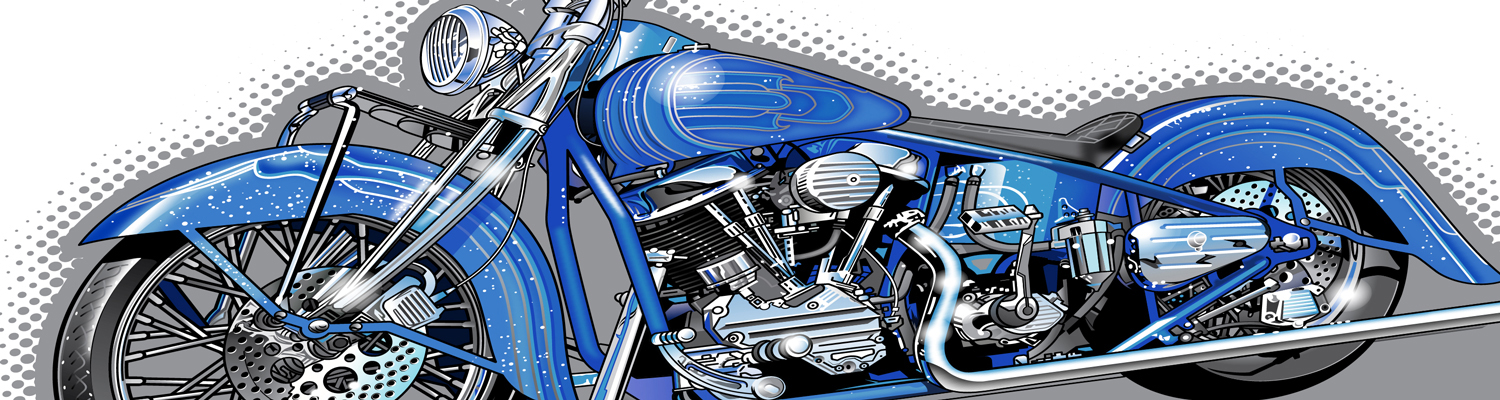
      <p  class="NewParaText" align="justify" style="padding-left:10px; padding-right:10px;">Vector Art files are not created as JPEGs, GIFs, and BMP images consisting of a grid of pixels. Instead Illustrations are created by start and end points, curves, angles and lines. Illustrations can therefore easily be enlarged or reduced without any loss of quality and do not pixelate. Therefore, Illustrations are ideal for everything from small logos that are needed for business cards to fill large images and billboards. Illustrations are the industry standard for screen printing, custom textile design and outdoor advertising. Basically, any form and print or reproduction can be implemented without loss of quality.</p>
    </div>
  </div>
  <div  class="BackDiv1" >
    <div class="container-fluid" style="background-color:#fff; padding:1%;" align="center" >
      <h2 class="heading-decorated NewHeaderText"  style="padding-bottom:20px;" >We create the following vector art</h2>
	  <div class="row" style="margin:0px; padding:0px; height:auto;">
		<div class="col-sm">
		<article class="thumb-flat" style="border: 1px solid  #EAEAEA; padding:10px;"><img loading="lazy" src="images/Art1.jpg" width="294" height="315" alt="Small Logo" style="min-width:350px;">
              <div align="center" style="font-family:Helvetica; font-size:20px; font-weight:600;border-bottom: 1px solid  #EAEAEA; padding:10px; ">Simple</div>
              <div class="thumb-flat__body">
                <table align="center" border="0">
                  <tR>
                    <Td height="30" align="center"><p style="font-size:16px; line-height:1.5;font-family:Helvetica, sans-serif;">Simple Vector Art are delivered the next business day.</p><p style="font-size:30px; line-height:1.5;font-family:Helvetica, sans-serif; font-weight:bold;" align="center">
€ 15,00 
</p></Td>
                  </tR>
                  <tR>
                    <Td align="center"><a href="Free-Designs.php#Vek" class="buttonN button4" style="width:130px;" >Examples</a> </Td>
                  </tR>
                  </tR>
                  
                </table>
              </div>
            </article>
		</div>
		
		
		<div class="col-sm">
		<article class="thumb-flat" style="border: 1px solid  #EAEAEA; padding:10px;"><img loading="lazy" src="images/Art2.jpg" width="294" height="315"  alt="Left Chest Logo"  style="min-width:350px;">
              <div align="center" style="font-family:Helvetica; font-size:20px; font-weight:600;border-bottom: 1px solid  #EAEAEA; padding:10px; ">Complex</div>
              <div class="thumb-flat__body">
                <table align="center" border="0">
                  <tR>
                    <Td height="30" align="center"><p style="font-size:16px; line-height:1.5;font-family:Helvetica, sans-serif;">Complex Vector Art are delivered within 24 to 36<br>hours.</p><p style="font-size:30px; line-height:1.5;font-family:Helvetica, sans-serif; font-weight:bold;" align="center">
€ 20,00 
</p></Td>
                  </tR>
                  <tR>
                    <Td align="center"><a href="Free-Designs.php#Vek" class="buttonN button4" style="width:130px;" >Examples</a> </Td>
                  </tR>
                  </tR>
                  
                </table>
              </div>
            </article>
		</div>
		<div class="col-sm">
		<article class="thumb-flat" style="border: 1px solid  #EAEAEA; padding:10px;"><img loading="lazy" src="images/Art3.jpg" width="300" height="315" alt="Jacket Back"  style="min-width:350px;">
              <div align="center" style="font-family:Helvetica; font-size:20px; font-weight:600;border-bottom: 1px solid  #EAEAEA; padding:10px; ">Super Complex</div>
              <div class="thumb-flat__body">
                <table align="center" border="0">
                  <tR>
                    <Td height="30" align="center"><p style="font-size:16px; line-height:1.5;font-family:Helvetica, sans-serif;">Super complex Vector Art are delivered within 24 to 48<br>hours.</p><p style="font-size:30px; line-height:1.5;font-family:Helvetica, sans-serif; font-weight:bold;" align="center">
Pirce on request 
</p></Td>
                  </tR>
                  <tR>
                    <Td align="center"><a href="Free-Designs.php#Vek" class="buttonN button4" style="width:130px;" >Examples</a> </Td>
                  </tR>
                  </tR>
                  
                </table>
              </div>
            </article>
		</div>

</div>
	  
      
    </div>
  </div>
  <div  class="BackDiv1">
    <div class="container-fluid" style="background-color:#fff; padding:1%;" align="center" >
      <p  class="NewParaText" align="justify" style="padding-left:10px; padding-right:10px;">Small changes will be charged. Quick deliveries are also possible. Simple Illustrations are guaranteed delivered within 6 hours. You have the option to order them either by our order form or by sending us an email with the subject line EXPRESS. Once we have your design with us on the system, start the 6 hours. This service costs 15 Euro in addition to the normal price.<br><Br>

In order to create an account with smart punching and your designs upload please click here. <a href="register.php"><b>Create Account</b></a>.</p>
    </div>
  </div>
  <div  class="BackDiv1">
    <div class="container-fluid" align="left">
      <!-- Accordion-->
      <div id="accordion" role="tablist">
        <!-- Bootstrap card-->
        <div class="card card-custom">
          <div class="card-custom-heading" id="accordionHeading1" role="tab">
            <h5 class="card-custom-title"><a class="collapsed" role="button" data-toggle="collapse" data-parent="#accordion" href="#accordionCollapse1" aria-controls="accordionCollapse1" style="text-transform:none; font-family:Helvetica, sans-serif; padding-left:10px;">Application process of vector art</a> </h5>
          </div>
          <div class="card-custom-collapse collapse" id="accordionCollapse1" role="tabpanel" aria-labelledby="accordionHeading1">
            <div class="card-custom-body">
              <p  class="NewParaText" align="justify" style="padding-left:10px; padding-right:10px;"> To create vector graphics, we use the latest software to provide the best quality and compatibility with your software. These Illustrations are of the highest quality and can be easily edited. These designs can be used for a variety of purposes such as custom textiles, printing, advertising and marketing.</p>
            </div>
          </div>
        </div>
        <!-- Bootstrap card-->
        <div class="card card-custom">
          <div class="card-custom-heading" id="accordionHeading2" role="tab">
            <h5 class="card-custom-title"><a  class="collapsed" role="button" data-toggle="collapse" data-parent="#accordion" href="#accordionCollapse2" aria-controls="accordionCollapse2" style="text-transform:none;font-family:Helvetica, sans-serif;padding-left:10px;">Accepted files for creating vector graphics</a> </h5>
          </div>
          <div class="card-custom-collapse collapse" id="accordionCollapse2" role="tabpanel" aria-labelledby="accordionHeading2">
            <div class="card-custom-body">
              <p  class="NewParaText" align="justify" style="padding-left:10px; padding-right:10px;">A clean and clear image or vector image of your logo / design is recommended. Among the common image file formats include JPG, GIF and BMP. We also accept TIF, JPEG, and PDF formats. The higher the quality, the better we can implement detailing.

</p>
            </div>
          </div>
        </div>
        <!-- Bootstrap card-->
        <div class="card card-custom">
          <div class="card-custom-heading" id="accordionHeading3" role="tab">
            <h5 class="card-custom-title"><a  class="collapsed" role="button" data-toggle="collapse" data-parent="#accordion" href="#accordionCollapse3" aria-controls="accordionCollapse3" style="text-transform:none;font-family:Helvetica, sans-serif;padding-left:10px;">Money back guarantee</a> </h5>
          </div>
          <div class="card-custom-collapse collapse" id="accordionCollapse3" role="tabpanel" aria-labelledby="accordionHeading3">
            <div class="card-custom-body">
              <p  class="NewParaText" align="justify" style="padding-left:10px; padding-right:10px;"> Our goal is providing vector design with excellent quality at reasonable prices. Therefore, quality control is paramount in our operation. We are familiar with all the technical requirements for various materials such as cotton, polyester polo shirts, shirts, fleece, elastic clothes, as well as caps. Before we send you the embroidery, we embroider your design to ensure that the embroidery file runs correctly. Should changes be required, we will revise your design to your liking. Changes are free and will be implemented within four hours. Should it ever happen that you are not satisfied with the embroidery file or the required delivery time limit has been exceeded, we will not charge you for the embroidery program, no questions asked.</p>
            </div>
          </div>
        </div>
        <div class="card card-custom">
          <div class="card-custom-heading" id="accordionHeading4" role="tab">
            <h5 class="card-custom-title"><a  class="collapsed" role="button" data-toggle="collapse" data-parent="#accordion" href="#accordionCollapse4" aria-controls="accordionCollapse4" style="text-transform:none;font-family:Helvetica, sans-serif;padding-left:10px;"> Produced files</a> </h5>
          </div>
          <div class="card-custom-collapse collapse" id="accordionCollapse4" role="tabpanel" aria-labelledby="accordionHeading4">
            <div class="card-custom-body">
              <p  class="NewParaText" align="justify" style="padding-left:10px; padding-right:10px;"> <strong>.CSD:</strong> Format for Poem, Husky Gram, and Singer EU embroidery machines.<br>
                <strong>.AI:</strong> A file format used by Adobe Illustrator software.<br>
                <strong>.CDR:</strong> A file format used by Corel Draw software.<br>
                <strong>.PSD:</strong> A file format used by Photoshop software.<br>
                <strong>.EPS:</strong> A file format used by various software such as Adobe Acrobat, Adobe Illustrator, Adobe InDesign, Adobe Photoshop (later), CorelDRAW, FlexiSIGN etc.<br>
                <strong>.PDF:</strong> A file format that can be used regardless of what software, hardware or operating system.<br>
                
            </div>
          </div>
        </div>
      </div>
    </div>
  </div>
  <!-- Page Footer-->
  <!-- Page Footer-->

<footer class="footer-modern" style="background-color:#424B5C;">
  <div class="container">
    <div class="row" align="center" style="margin:auto; padding:20px;">
      <div class="col-sm" align="center"><img src="images/OfficeImages2.jpg" style="border:1px solid #CCCCCC;border-radius:6px; height:180px;"></div>
      <div class="col-sm" align="center" style="color:#FFFFFF; width:100%; font-weight:500; font-size:16px;"> <b>Address</b><Br />
        SmartPunching<br />
        MHA MacIntyre Hudson<Br />
        New Bridge Street House,<Br />
        30-34 New Bridge Street,<Br />
        London EC4V 6BJ<Br />
        United Kingdom </div>
      <div class="col-sm" align="center" style="color:#FFFFFF; width:100%; font-weight:500;"> <b>Contact Us</b> <br />
        <a class="icon icon-xxs icon-gray-darker fa fa-envelope" href="mailto:order@smartpunching.eu" style="font-family:Helvetica, sans-serif; letter-spacing:1px; font-size:16px; color:#FFFFFF;">&nbsp;&nbsp;order@smartpunching.eu</a> <Br />
        <a class="icon icon-xxs icon-gray-darker fa fa-phone" href="tel:+44 7979 553575" style="font-family:Helvetica, sans-serif; letter-spacing:1px; font-size:16px; color:#FFFFFF;">&nbsp;&nbsp;+44 7979 553575</a> </div>
    </div>
  </div>
  <div class="row" align="center" style="margin:auto; padding:20px;background-color:#F4F4F4;">
    <div class="col-sm" align="center" style="color:#000000; font-weight:500;">
	<table align="center" width="100%">
		<tr>
			<td style="padding:5px; width:50%;" align="center">
			<a href="https://smartpunching.eu" style="color:#000000; font-weight:600;">Home</a>
			</td>
			<td style="padding:5px; width:50%;" align="center">
			<a href="Digitising.php" style="color:#000000; font-weight:600;">Digitising</a>
			</td>
		</tr>
	</table>
	 </div>
	 <div class="col-sm" align="center" style="color:#000000; font-weight:500;">
	<table align="center" width="100%">
		<tr>
			<td style="padding:5px; width:50%;" align="center">
			<a href="Vector-Art.php" style="color:#000000; font-weight:600;">Vector Art</a>
			</td>
			<td style="padding:5px; width:50%;" align="center">
			<a href="Price.php" style="color:#000000; font-weight:600;">Price</a>
			</td>
		</tr>
	</table>
	 </div>
	 <div class="col-sm" align="center" style="color:#000000; font-weight:500;">
	<table align="center" width="100%">
		<tr>
			<td style="padding:5px; width:50%;" align="center">
			<a target="_blank" href="http://auto-stitch.smartpunchen.com/" style="color:#000000; font-weight:600;"> Auto Stitch <font style="font-size:12px; color:#FF0000;">New</font></a>
			</td>
			<td style="padding:5px; width:50%;" align="center">
			<a href="QualityControl.php" style="color:#000000; font-weight:600;">Quality Control</a>
			</td>
		</tr>
	</table>
	 </div>
	 
	 <div class="col-sm" align="center" style="color:#000000; font-weight:500;">
	<table align="center" width="100%">
		<tr>
			<td style="padding:5px; width:50%;" align="center">
			<a href="FAQ.php" style="color:#000000; font-weight:600;">FAQ</a>
			</td>
			<td style="padding:5px; width:50%;" align="center">
			<a href="ContactUs.php" style="color:#000000; font-weight:600;">Contact Us</a>
			</td>
		</tr>
	</table>
	 </div>
    
    
  </div>
  <div class="row" align="center" style="margin:auto; padding:20px;background-color:#F4F4F4;">
    <div class="col-sm" align="center" style="color:#000000; font-weight:500;"> <img src="images/visa-mastercard-amex-paypal.png" /> </div>
  </div>
</footer>
</div>
<!-- Modal login window-->

<div class="modal fade" id="modalLogin" role="dialog">
  <div class="modal-dialog modal-dialog_custom">
    <!-- Modal content-->
    <div class="modal-dialog__inner">
      <button class="close" type="button" data-dismiss="modal"></button>
      <div class="modal-dialog__content" align="center">
        <h5 align="center">Login</h5>
        <!-- RD Mailform-->
        <form  method="post" action="password.php">
          <div class="form-wrap form-wrap_icon linear-icon-user">
            <input class="form-input" id="modal-login-email" type="text" name="txtlogin" required="" oninvalid="this.setCustomValidity('Enter your user name')" oninput="this.setCustomValidity('')" >
            <label class="form-label" for="modal-login-email">Your User Name</label>
          </div>
          <div class="form-wrap form-wrap_icon linear-icon-lock">
            <input class="form-input" id="modal-login-password" type="password" name="txtpass" required="" oninvalid="this.setCustomValidity('Enter your password')" oninput="this.setCustomValidity('')">
            <label class="form-label" for="modal-login-password">Your Password</label>
          </div>
		  <div style="float:none; clear:both; margin:auto; padding:10px;" align="center">
          <button class="button button-primary" type="submit">Login</button>
		  </div>
        </form>
        <!--<ul class="list-small">
          <li><a href="#">Forgot your password?</a></li>
         
        </ul>-->
      </div>
    </div>
  </div>
</div>
<!-- Modal register window-->
<div class="modal fade" id="modalRegister" role="dialog">
  <div class="modal-dialog modal-dialog_custom">
    <!-- Modal content-->
    <div class="modal-dialog__inner">
      <button class="close" type="button" data-dismiss="modal"></button>
      <div class="modal-dialog__content">
        <h5>Register Form</h5>
        <!-- RD Mailform-->
        <form class="rd-mailform rd-mailform_responsive" data-form-output="form-output-global" data-form-type="contact" method="post" action="bat/rd-mailform.php">
          <div class="form-wrap form-wrap_icon linear-icon-envelope">
            <input class="form-input" id="modal-register-email" type="email" name="email" data-constraints="@Email @Required">
            <label class="form-label" for="modal-register-email">Your e-mail</label>
          </div>
          <div class="form-wrap form-wrap_icon linear-icon-lock">
            <input class="form-input" id="modal-register-password" type="password" name="password" data-constraints="@Required">
            <label class="form-label" for="modal-register-password">Your password</label>
          </div>
          <div class="form-wrap form-wrap_icon linear-icon-lock">
            <input class="form-input" id="modal-register-password2" type="password" name="password2" data-constraints="@Required">
            <label class="form-label" for="modal-register-password2">Confirm password</label>
          </div>
          <div class="form-wrap">
            <label class="checkbox-inline">
            <input type="checkbox" name="remember">
            Remember me </label>
          </div>
          <button class="button button-primary" type="submit">Register</button>
        </form>
      </div>
    </div>
  </div>
</div>
<!-- Global Mailform Output-->
<div class="snackbars" id="form-output-global"></div>
<!-- Javascript-->
<script src="js/core.min1.js?p"></script>
<script src="js/script.js"></script>
</body>
</html>